
To view available public groups in the system, first click on the Network link in the top-menu. Next, click on Groups filter button in the sub-menu to view available public groups. Click on the Join button to join the group or group(s) in which you are interested.
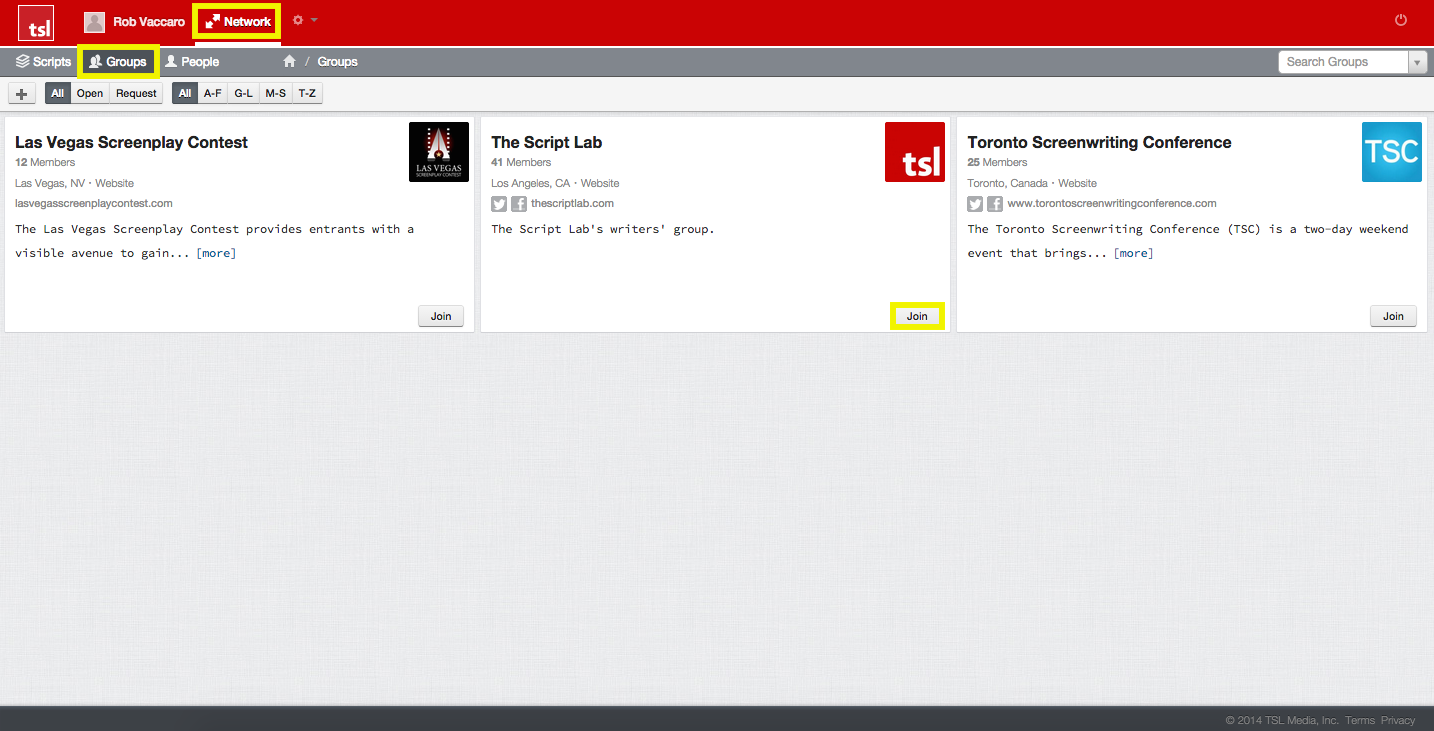
The TSL Network offers you the ability to join one or more virtual writers' groups in the system. Joining a group will allow you to share your work with just the members of that group for feedback.
The free Writer subscription level allows you to join any open or request-only public groups available in the network. The paid Writer Plus and Writer Pro subscription levels allow you to join both public and private groups in the network.
For more info on what comes with each subscription level, click here. To check your subscription level at any time click on the Gear icon in the top-menu, select Settings from the sub-menu and click on Subscription Plan.